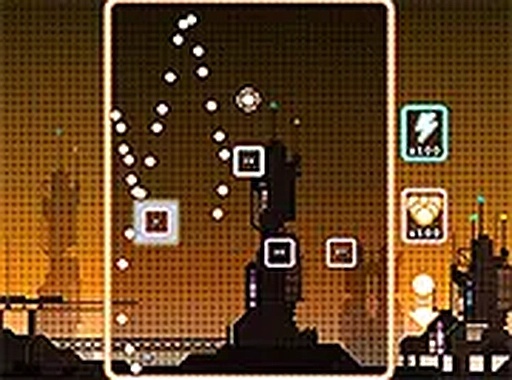
Neon Breaker Arcade Game
Runs in your browser — no download.
Reviews
Neon Breaker offers a satisfying blend of classic arcade action and light puzzle strategy. The numbered blocks force you to think about which bricks to target first, adding replay value. The game runs smoothly on all devices, and the full screen mode enhances the experience. It is a perfect time killer that respects your attention without being overly demanding.
Description
Game Introduction
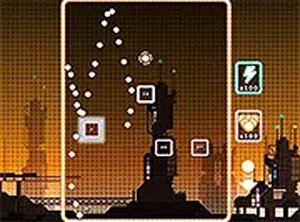
Neon Breaker is an arcade-style game that puts a fresh spin on the classic brick-breaking formula. In this skill-based game, your goal is to clear all the bricks on the screen using a limited number of balls. Each brick displays a number indicating how many hits it needs to break—adding a strategic layer to the action. The neon visuals and smooth gameplay create a relaxing yet engaging experience suitable for players of all ages. As you progress, levels become more challenging, keeping the game interesting for both casual and dedicated players.
How to Play
To play, you control a paddle at the bottom of the screen. You aim by moving your mouse or finger, then release to shoot a ball upward toward the bricks. Pay close attention to the numbers on each block—a block with a 3 needs three hits to break. Plan your shots carefully to make every ball count. If you miss a ball, you lose it. Extra balls may appear during gameplay, giving you more chances to clear the board. The game ends when you run out of balls. Controls are simple and work on both desktop and mobile devices.
Game Features
Neon Breaker includes numbered blocks that require multiple hits, adding a strategic twist to the classic brick-breaking genre. The game is free to play with no downloads or installations needed. It runs smoothly on desktop and mobile browsers, and full screen mode is available for an immersive experience. Levels gradually increase in difficulty, offering a steady challenge. The neon color scheme is easy on the eyes and family-friendly, making it suitable for quick gaming sessions or longer play.
Tips for Success
Focus on bricks with lower numbers first to clear them quickly and reduce clutter. Aim for angles that let your ball bounce between multiple bricks to maximize each shot. Keep an eye out for extra balls that may appear, as they can extend your play. Practice your aim and timing to improve accuracy. If a level feels too difficult, take a short break and try again with a fresh perspective.
🛠️ Compatibility
• OS: Windows 10+, macOS 11+, iOS 14+, Android 10+ • Browsers: Chrome 100+, Safari 15+, Edge 100+, Firefox 100+ • Not compatible with Internet Explorer Tested on real devices – works as expected