Flash Drive Skill Arcade
Runs in your browser — no download.
Reviews
Flash Drive delivers a polished arcade experience with a clear objective: collect files and reach the databank. The controls are responsive, and the difficulty curve is well balanced, offering a steady challenge without overwhelming the player. Each level introduces new obstacles that require quick thinking and precise movement. The game is perfect for short sessions, but its progressive difficulty encourages replayability. It is a solid choice for anyone looking for a free, family-friendly browser game.
Description
Game Introduction
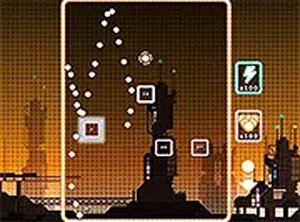
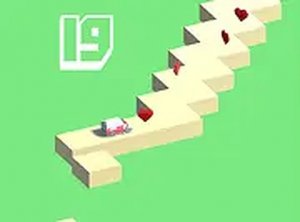
Flash Drive is an online arcade game where you control a flash drive character on a mission to collect scattered files and deliver them to the databank. This fast-paced game tests your reflexes and timing as you navigate through levels, picking up important data while avoiding obstacles. Designed for desktop play, it offers a smooth experience with keyboard or mouse controls. The game is free to play and runs directly in your browser without any downloads. With colorful visuals and simple yet addictive mechanics, it is a great choice for players of all ages looking for a quick gaming session or a longer challenge.
How to Play
Use your keyboard arrow keys or mouse to move your flash drive character around the screen. Your goal is to collect all the files scattered across each level and then reach the databank to complete the mission. Be careful to avoid obstacles that can slow you down or end your run. The game is designed for desktop computers, so playing on a PC or laptop provides the best experience. You can also switch to full screen mode for a more immersive view by clicking the full screen button on the game page. Each level increases in difficulty, testing your speed and precision.
Game Features
Flash Drive includes levels that become progressively more challenging, encouraging you to improve your reflexes and timing. The game supports both keyboard and mouse controls, giving you flexibility in how you play. A full screen mode is available to enhance your gaming experience. As a browser-based game, it requires no downloads or installations, making it easy to start playing immediately. The core objective of collecting files and delivering them to the databank provides clear goals that are simple to understand yet engaging to pursue.
Tips for Success
To succeed in Flash Drive, focus on learning the layout of each level to plan your route efficiently. Practice your timing to avoid obstacles while maintaining speed. Using the full screen mode can help you see more of the level, giving you an advantage in anticipating upcoming challenges. As the difficulty increases, staying calm and precise with your movements becomes key. Regular practice will help you improve your reflexes and achieve better results in each level.
Compatibility
▸ Desktop: Chrome / Edge / Firefox / Safari ▸ Mobile: iOS Safari / Android Chrome ▸ Tablet: iPadOS Safari / Android Tablet Browser Keep your browser updated for the best experience