3D Phone Case Creator: Art Design Game
Reviews
3D Phone Case Creator offers a safe and engaging space for children to explore their artistic side. The 3D interface allows full rotation, making designs feel real. With a large library of patterns and stickers, kids can create unique cases and save them to a personal album. It is easy to use and encourages creative thinking without any violent or inappropriate content.
Description
Game Introduction
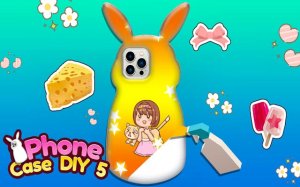
3D Phone Case Creator: Art Design Game is a creative activity game where players design custom phone cases in a vibrant 3D studio. The core objective is to express personal style by combining patterns, decorations, and stickers on a virtual phone case. This game offers a hands-on experience for children, encouraging artistic exploration in a safe digital environment. What makes it unique is the 3D interface, allowing designs to be viewed from all angles, making the creative process feel realistic and engaging.
How to Play
Players start by selecting a base phone case from a collection. Then, they browse a creative library to choose patterns, stickers, and decorations. Using an intuitive 3D interface, players drag, place, and resize elements on the case. They can rotate the model to view the design from every side and experiment with colors and combinations. Once satisfied, the finished design is saved to a personal album. Players can return anytime to edit existing designs or create new ones, with simple controls making it easy for all ages to start designing immediately.
Game Features
The game features a 3D design environment that brings creations to life, allowing full rotation and zoom. A vast creative library offers a wide variety of patterns, stickers, and decorations for endless customization. A personal art album saves all designs for future editing and viewing. Intuitive controls ensure easy navigation for children, making the design process accessible. The game encourages artistic skills and design thinking, providing a constructive outlet for creativity in a safe digital space.
Tips for Success
To make the most of your creative experience, start by exploring the full library of patterns and stickers to understand what is available. Experiment with different combinations of colors and decorations to discover unique styles. Use the 3D rotation feature to check your design from all angles, ensuring a balanced look. Do not be afraid to save multiple versions of a design to compare ideas. Finally, revisit your album regularly to refine and improve your earlier creations, as practice helps develop your design skills.